Through AXAVIA's engineering software you have access to all your engineering data anytime and anywhere. For more productivity and quality in your engineering projects.



Plan your project quickly and easily. AXAVIAedb offers optimal support from the preliminary project, through basic engineering, to detail engineering.
Due to the CAD integration AXAVIAseries becomes an integrated planning tool. CAD and project planning data flow together and are dynamically available.
AXAVIAedb provides a predefined data model for process engineering, plant engineering, electrical engineering, automation engineering and mechanics in an amazing level of detail. Libraries and reports supplied specifically for the respective area create a working environment with high productivity.
Through the engineering database you have access to all your engineering data anytime and anywhere and increase your productivity and quality in your engineering projects.

Do you want to successfully digitize your engineering processes? Find out more in our module information.
The basis of the engineering database is the project management. Organize and structure your engineering in projects and create the necessary overview.
Documents are a central component in engineering. Manage your documents in the engineering projects and create access to the current documents for everyone involved.
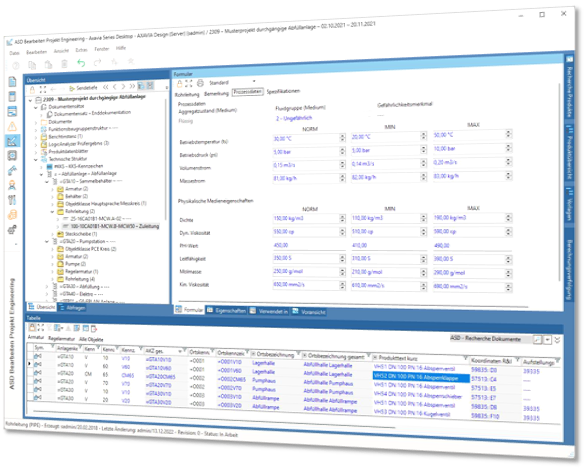
Project overview
Detailed technical structure
Technical details
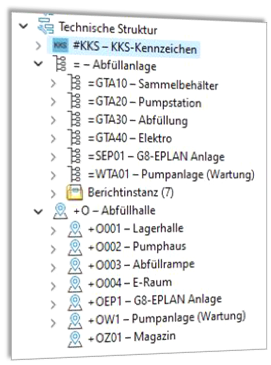
The plant structure organizes and structures a plant according to the function of the plant. In most cases, the plant structure is used as the basis for the labeling system. Create any plant structure and thus define almost any plant identifier, which is completed in the plant-specific components.
In addition to the plant identifier, a location information is also used as part of the identification system, especially for large plants. Organize your plant according to any location structure and use this as additional information for the respective components as location information.
PPS or RDS-PP structure
In power plants and similar facilities, a standardized VGB marking system according to KKS or RDS-PP has become established. The engineering database allows you to set up your marking system according to KKS or RDS-PP. Please note that the KKS or RDS-PP structure is not part of the scope of delivery, as it is protected by VGB and must be explicitly purchased by VGB.
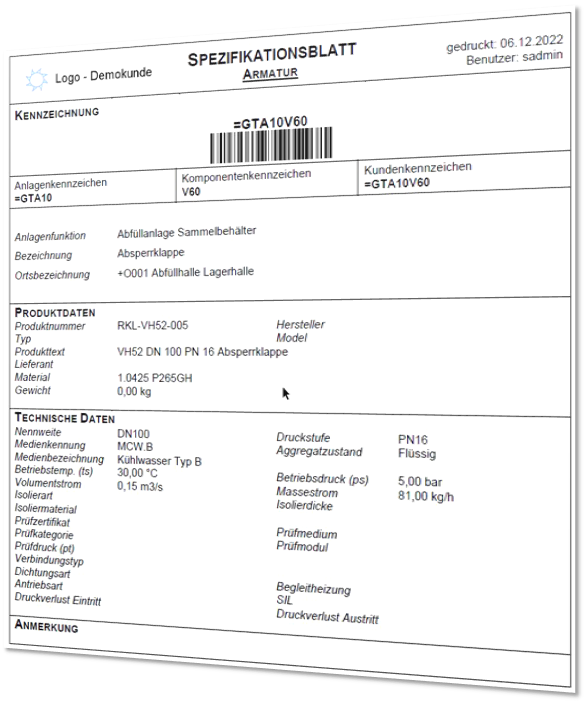
Specification sheets are documents that describe the technical requirements and characteristics of a product or plant. They serve as a guide for the development, manufacture, inspection and commissioning of the product or plant.
Specifications include information on materials, sizes, weights, performance characteristics, connections, interfaces, safety requirements and other relevant factors. This information is created in the engineering process to ensure that the product or equipment meets the requirements and functions properly. The specification sheets also provide a reference for future procurement requests, as well as for maintenance and repair work on the equipment.
They are generated and managed as reports by AXAVIA. The content corresponds to the information of the components.
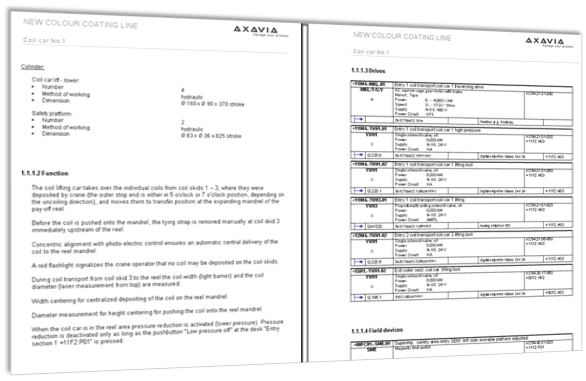
Functional descriptions are an important part of the documentation. Besides a verbal description, a lot of technical information of the components is included.
The functional description is a documentation of the operation of the equipment. For this purpose, the documentation is structured in corresponding chapters and described verbally. For the integration of components, these are linked to the respective chapter and merged in the generated documentation.
The generated documentation always accesses the current planning status and is therefore always up to date.
Especially the support for translation into other languages is a significant advantage for the user.
A spare parts list for plant engineering is a document that contains a list of the spare parts that are required for a particular plant. It gives an overview of the parts that need to be replaced regularly or should be available quickly in case of failure.
The list usually contains information such as part number, description, manufacturer, supplier and stock level. Such a list is of great importance for the plant operator as it monitors the availability and stock of spare parts and ensures that the plant is always ready for operation. Define your spare parts in AXAVIA and thus create the spare parts list for documentation at the push of a button.
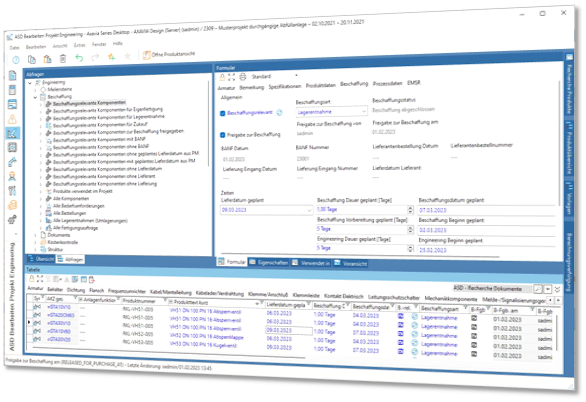
The engineering database defines the bill of materials for your project. The exact specification of the parts describes each component in detail. This parts list is also the basis for procurement. Define which components have to be procured and how (purchase, customer provision, ...). On basis of the prepared parts list the data are prepared for the procurement.
Procurement date
The delivery date is taken over either from the project management, or deposited directly in the parts list. By the deposited procurement duration then over a backward scheduling a procurement date is determined.
Procurement release
The technical manager releases the BOM entries for procurement.
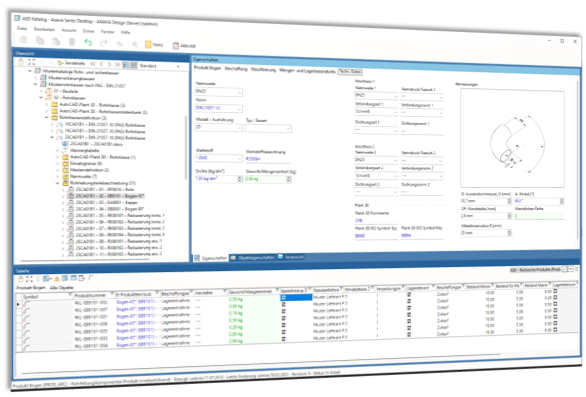
AXAVIAedb-PD for process engineering provides you with a predefined data model for plant engineering. Structures for plants, media, pipe classes, pipelines or equipment are available. In addition to the properties for the labeling system, comprehensive data fields are available for the technical specification of the components.
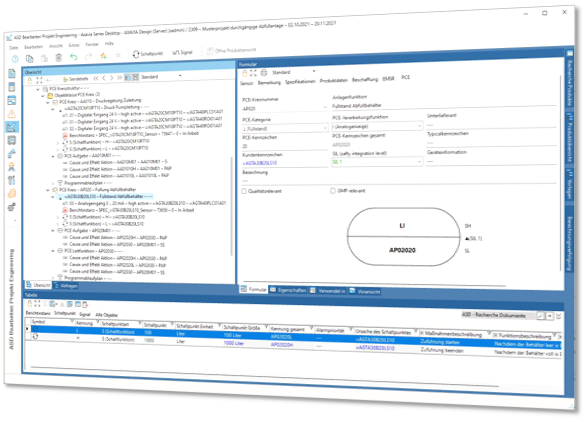
Instrumentation has always used databases and tables as tools in engineering. AXAVIAedb-AD supports this classic application and perfectly integrates the data from mechanical or process engineering. Thus the data of the P&IDs are automatically taken over into the measuring circuit structure (loop list) and kept synchronous in both directions.
The field devices can be filled with information according to the workflow (from the schematic, to the detailed product specification, including the management of the manufacturer data sheets in PDF format) and the lists required for the respective work step (order specifications, sensor list, signal lists, ...) can be generated at the push of a button.
A structured layout enables easy navigation in the project. Questions such as "in which schematic is a certain measuring circuit located?", or "which medium is the level measurement at hand?", are just as obvious from the structure as the question of the location of a control cabinet in which the card is located and where the signal from the measurement is processed.
Standards from safety technology such as Ex classes and SIL (Safety Integration Level) can be included.
The bus system is mapped just as simply and is the counterpart to the measuring circuit list. Here all signals from the field devices are put on input cards and inherit so the relevant data from the PLC (location and plant identifiers, slots, PLC addresses, ...).like the question about the location of a control cabinet in which the card sits at which the signal from the measurement is processed.
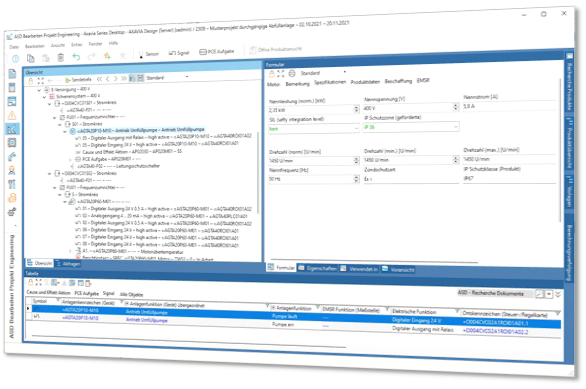
There are hardly any modern technical plants that can do without electrical components. The design and specification are an essential step in the completion of a plant. The basis for this is the motor and component list from process engineering. All information is automatically transferred from the P&ID and is available for the exact definition. In addition to drives and their supply, you define circuits, frequency converters or protective elements. Add the relevant technical data to the finished specification sheet. Define the plant, location and equipment codes according to the standard. If you are active in the power plant sector, KKS is also available. As a result, you get the relevant lists for daily use. Simple calculations - such as power sizing - are performed directly via AXAVIAseries. The motor and component list represents the interface between mechanics and electrics. It specifies - from a mechanical point of view - the electrical components, such as drives and sensors.
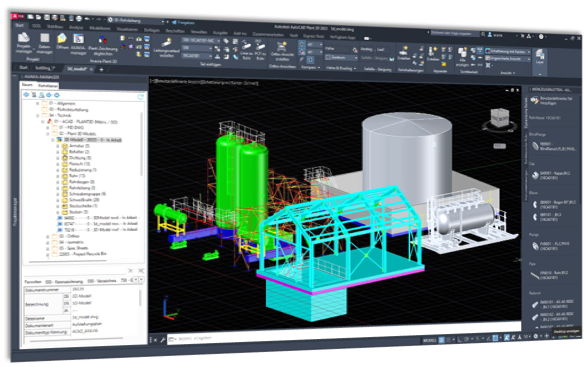
AutoCAD Plant 3D is a software solution for creating process flow diagrams, plant layouts and piping isometrics based on AutoCAD. The engineering database of AXAVIAseries is a solution for specification and documentation of technical plants. The plug-in connects these two solutions. Already during the creation of the P&ID's or the plant model, the engineering database is automatically built up in structured form in the background. The information is synchronized bidirectionally, thus guaranteeing that the data on the drawing and in the database are identical. The Autocad Plant 3D documents (P&ID's, 3D model, isometrics) are also managed in AXAVIA.
AXAVIA Manager fully integrates with the AutoCAD P&ID environment. Structure your project according to your standards. For standardization in the company and for fast and easy creation of new documents use the templates. The title block data can be filled in both in AXAVIA Manger and via AutoCAD P&ID.
Via AXAVIA Manager you have online access to the engineering database and can thus enter all technical data in AutoCAD P&ID. Of course, the technical data of the parts are also synchronized between the database and AutoCAD P&ID. Labels are thus automatically updated when data in the database has been changed.